For teachers
Twenty-eight children. One of you.
RodriMath reads every answer, names who needs you and why, and hands you the lesson for it.
- One class of up to 30 children, free for good
- No card
- Nothing to install
A name and a year group gets you a class code. Need more room?


One school day
Watch what happens from 7:50 on a Friday.
Grade 2B, the demo class. Real screens; the times are illustrative.
- 7:50 AM
Before the bell
One sentence per thing you can act on, not a graph of averages: 2 students need you directly, and why.
Each alert names the children and carries the lesson. When every approach has been tried, it says more practice will not fix it.
Two children, named, with the reason and the lesson
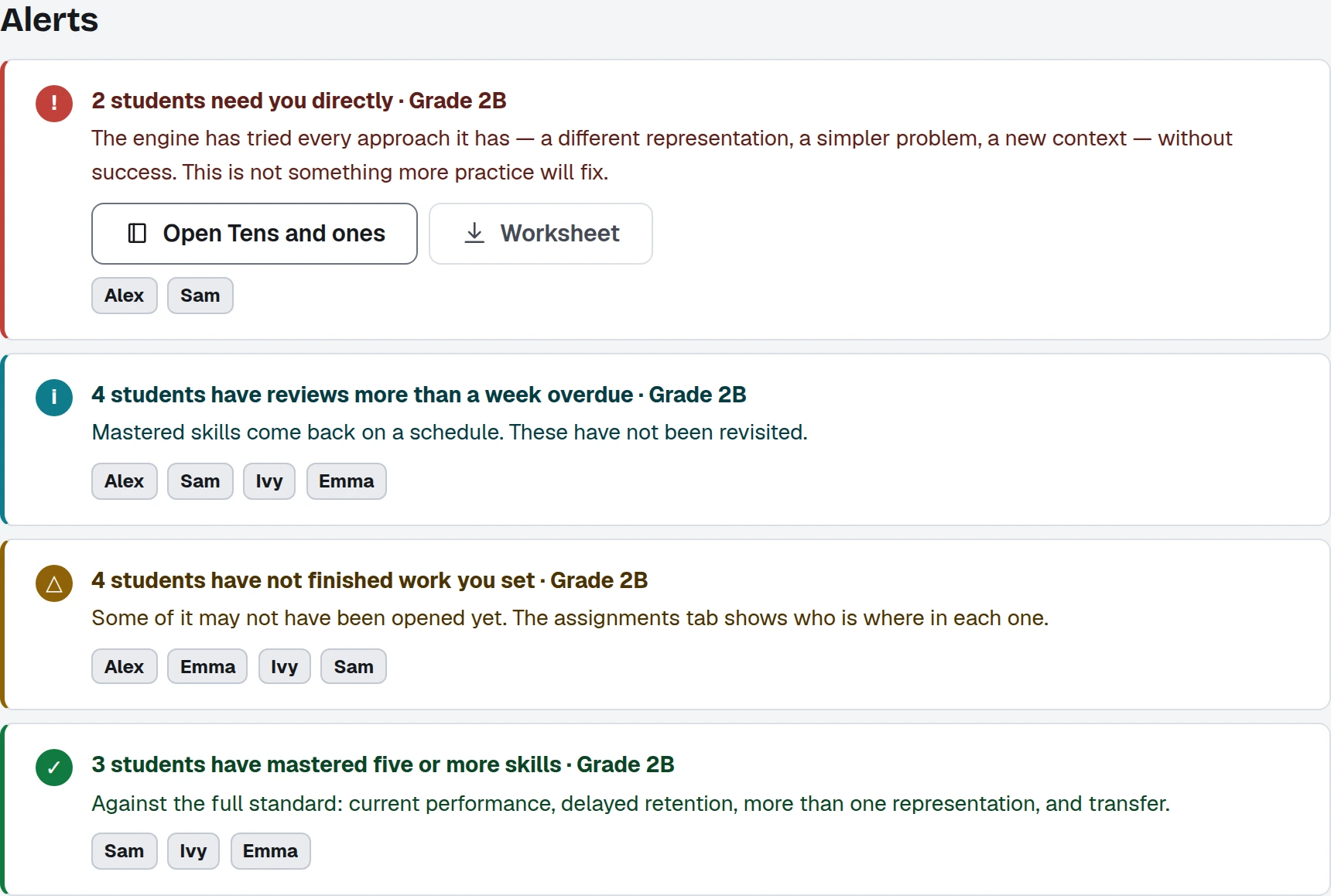
Alerts, each with the names and the lesson attached. 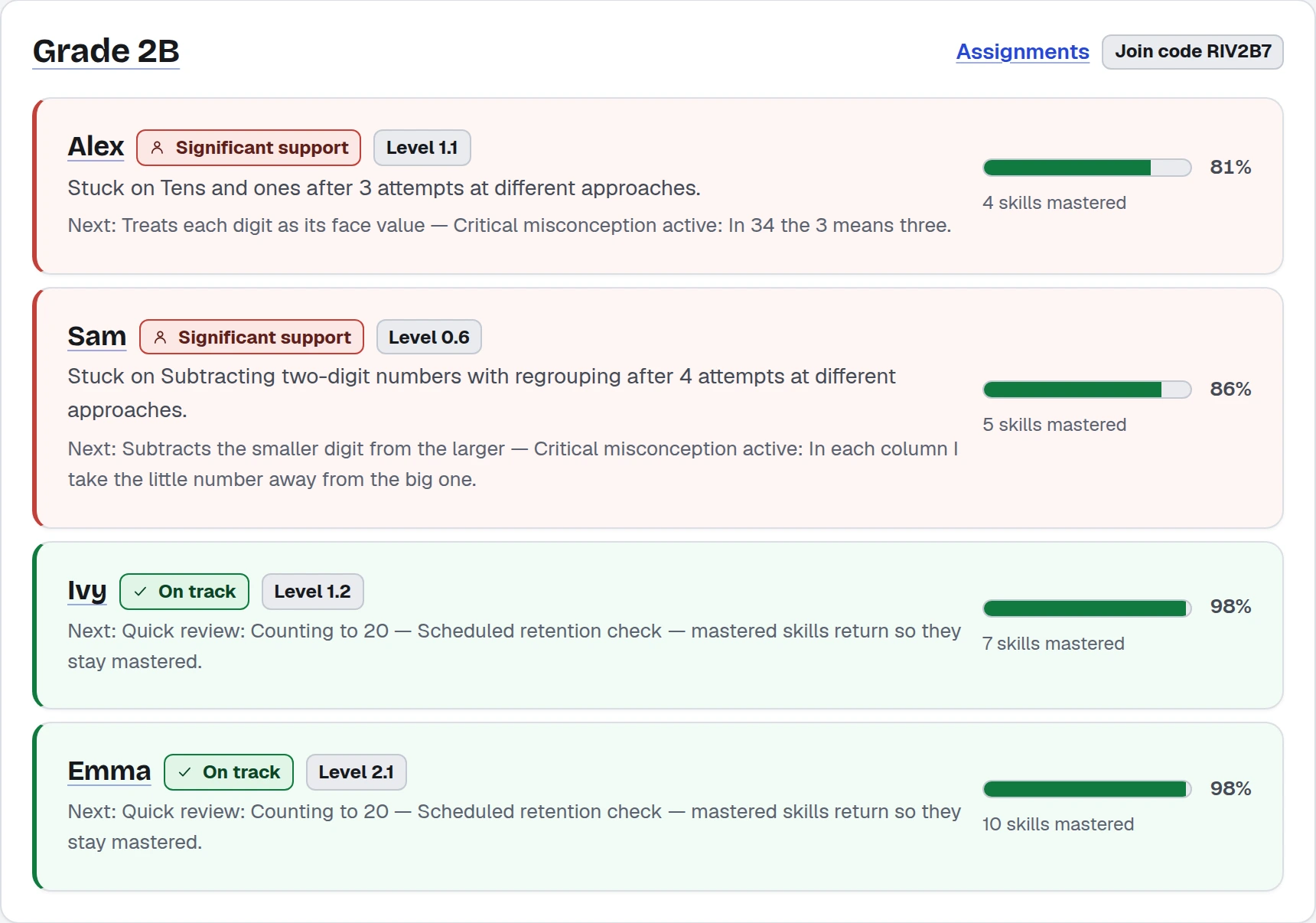
The register, this morning. Demo class. - 8:10 AM
One child
Open Alex, and the page answers three questions, in order:
- What is wrong. Adding two-digit numbers.
- Why. A cause, not a score: tens and ones, underneath it.
- What it is doing about it. Teaching that first.
The cause, in one sentence
The walk backwards
- Adding two-digit numbersLooks like the problem
- Tens and onesIs the problem
- Reading and writing numbers to 100Checked first, then taught if needed
Traced to its cause. Where the engine is guessing, it says so and checks before it reteaches. - 9:00 AM
On the board
Lesson Studio puts the lesson on the Smart Board and hands you the room.
- Sixteen kinds of scene, revealed a tap at a time
- Draw over anything, or open a number line, base-ten blocks or fraction circles
- “Is Rodri right?” Rodri states a wrong idea; the class takes it apart
- All 665 lessons, quick, standard or deep
Nothing on the board moves until you tap
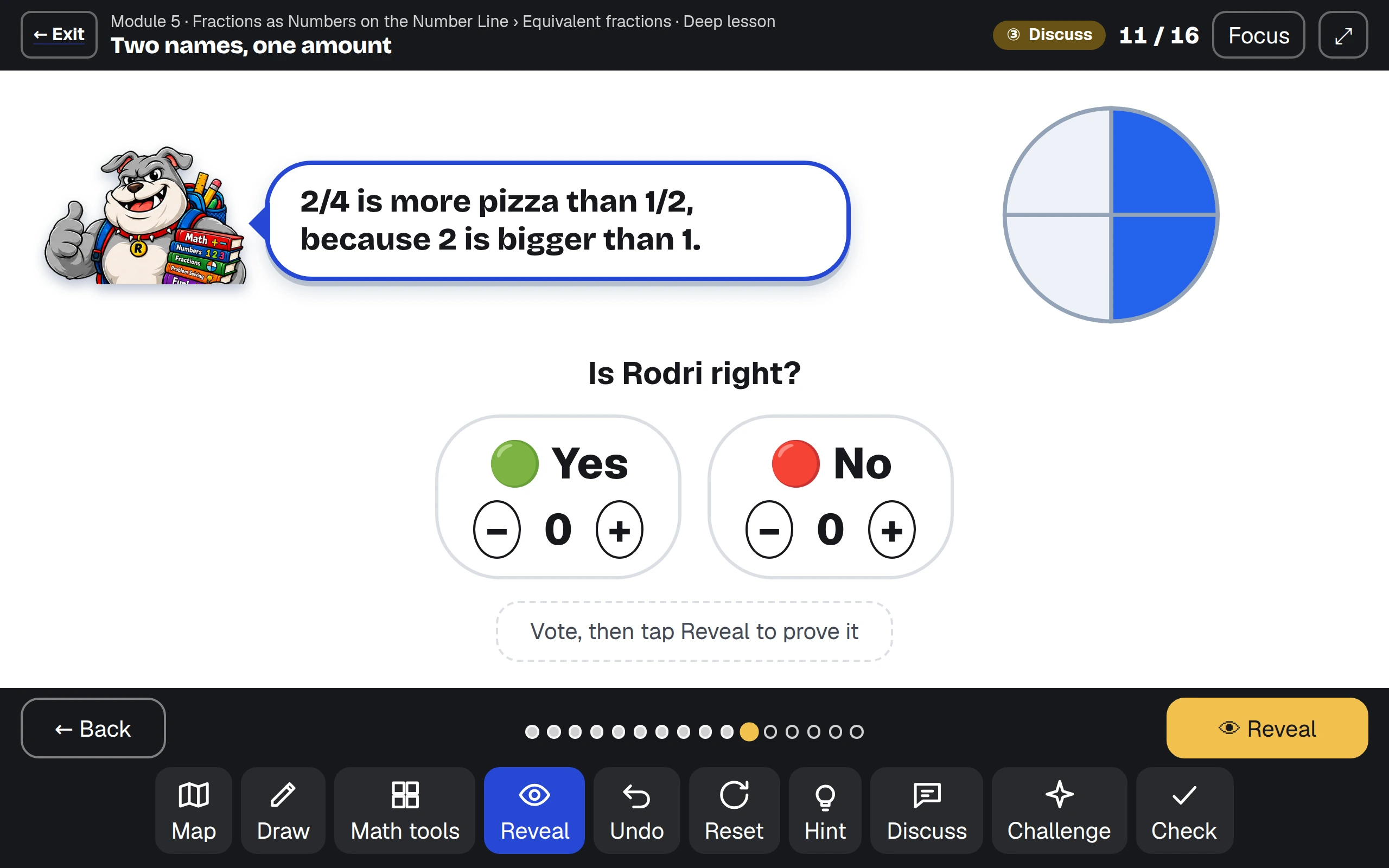
“Is Rodri right?” On the board. Demo class. - 10:30 AM
The small group
Class mastery is a table, weakest skill first. Each row opens to the children stuck on it, with the lesson to assign to exactly them.
It proposes the group: children who need the same lesson, not the same average.
Weakest skill first, with who is stuck on it
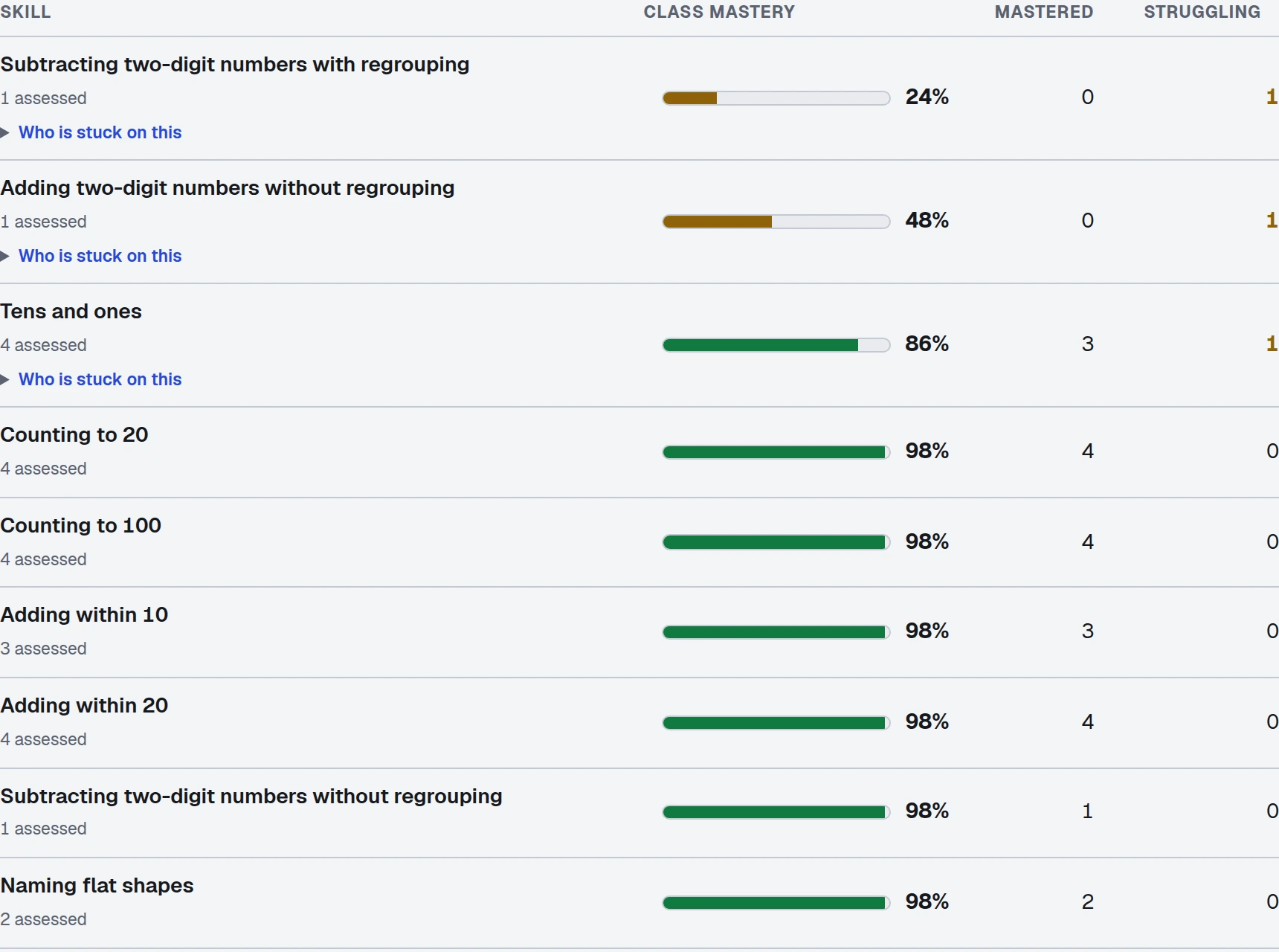
Class mastery. Weakest first, with who is stuck on each. - 3:15 PM
Planning Monday
The curriculum map is every skill, coloured by what your class knows. Find gaps lights the chain of skills underneath the weak spot (the prerequisites): the same walk that decides what a child gets next.
Then assign work to the class or to named children, with a due date, and print a worksheet from the same question bank.
Find gaps lights the chain behind the weak spot
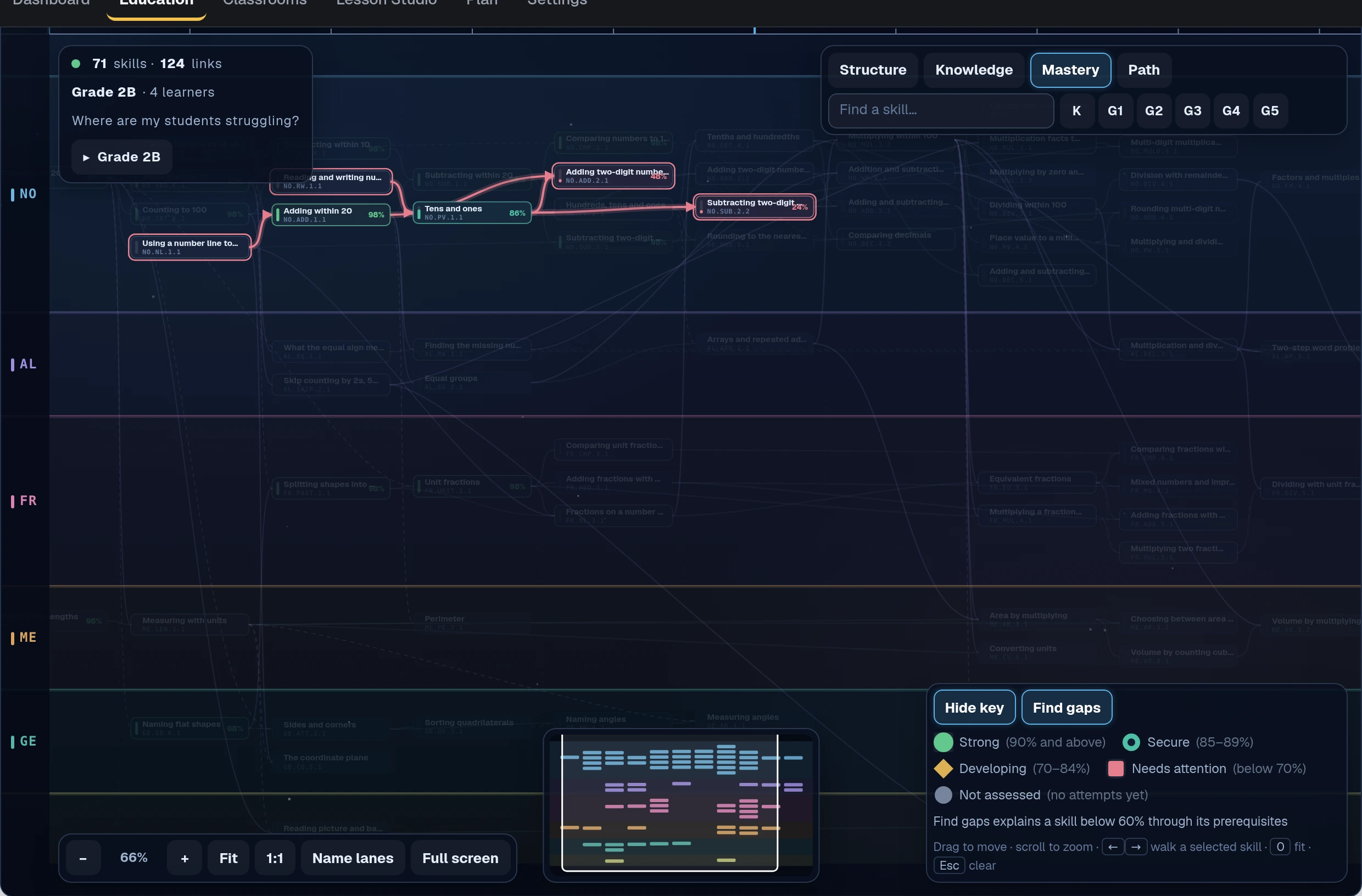
Find gaps. The chain behind a class’s weak spot, lit. - 3:30 PM
Your call
You see a child work; the engine does not. So you can open a chapter early or correct a placement, recorded with your name and reason.
Nobody can mark a skill mastered: not you, a parent, an administrator or us. Only the engine, from what the child did. That keeps the record worth reading.
Your name and your reason, on the record
Your call, and the one thing that is nobody's
You can
- Open a chapter early
- Correct a placement
- Assign anything, to anyone, with a due date
- Print a worksheet from the same bank
Nobody can
- Mark a skill as mastered by hand
- Edit what the engine has recorded
- Put a child on a leaderboard
- See another teacher’s class
Every override carries your name and a reason. None writes what a child knows. - Any day
Your register is yours
Make a class and you get a code and an invite link.
- A school class: a child who types the code is on your register at once.
- A class of your own: you confirm each child first.
- Too young to type it: Add from the school, a few letters of a name and one press.
A short note comes on Monday, only if there is something in it.
On a school class, the code is the door
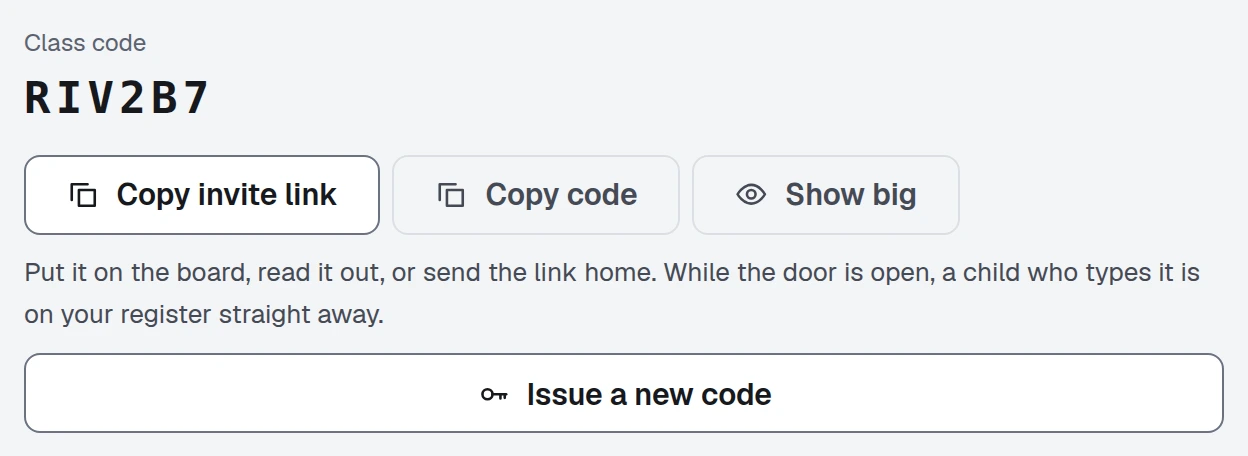
The class code. On a school class it is the door on day one.
What you get back
Stop finding out on Friday who was lost on Monday.
The names, the reason and the lesson, before the bell. No pile of marking first.
- One class of up to 30 children, free for good
- No card
- Nothing to install
Taking it to your principal
Most tools a school keeps started with one teacher.
Your class stays free. A school buys the layer the office needs.
What it costs a school
A published price per child per year. Teachers and administrators are not counted. A pilot is free for one term.
What it holds about a child
A first name, a username, a PIN, a year group and their work. No contact details, no advertising, no tracking.
What it matches
Florida’s B.E.S.T. and Common Core on every skill and lesson, and worksheets from the same question bank.
Before you decide
Six questions teachers ask first.
Do I need my school to buy it?
No. One class of up to 30 children is free, with no card and no end date. It is the whole product: every lesson, every world, the Lesson Studio.
How long does setup take?
A name and a year group gets you a class code. A person at RodriMath reads every new teacher account first, usually within a day, because your register covers other people’s children.
Does it match what I teach?
Every skill and lesson carries its Florida B.E.S.T. and Common Core mapping. Assign a workbook, module, chapter, lesson or challenge, to the class or named children, with a due date.
Can I see what a child actually answered?
Yes. Skill by skill, with the wrong idea they hold (the misconception) in the child’s own words. What you cannot do is mark a skill as mastered by hand.
Can students use it at home too?
Yes, on the same account. A parent who joins with your class code sees the same record in plain words. A child a school pays for need not be on the family’s plan.
What about Spanish?
A child can read RodriMath in Spanish, chosen in their own Settings; anything newly added is in English until its Spanish is written. Your pages are in English.
How it starts
Set it up this afternoon. Walk in knowing.
Create your account
Your name, your email address and a password. Nothing else, and no card.
We check you are a teacher
A person at RodriMath reads every new teacher account before it opens — usually within a day. Your class register covers every child on it, so this is a check we owe their families.
Make your class
A name and a year group. You get a code and an invite link straight away, and one class of up to 30 children is free with no end date.
Invite your students
Families use the link; each child appears for you to confirm.
Room to grow, if you need it
One class stays free for as long as you want it. If you outgrow it, the tutor plan takes 60 children across 3 groups for $199 a year, and a school contract covers everyone.
- One class of up to 30 children, free for good
- No card
- Nothing to install
Bringing a whole school? The page for schools.